
Introduction and Enrollment Information
Welcome to the WMO Business Continuity Management Course
This self-paced e-learning course is designed for staff of National Meteorological and Hydrological Services (NMHS) who are responsible for or involved in business continuity planning and management.
Course Structure
The course consists of 8 independent modules:
Module 1: Embracing BCM in NMHS
Module 2: Identifying and Prioritizing Critical Services
Module 3: Risk Analysis
Module 4: Business Impact Analysis
Module 5: Business Continuity Plan
Module 6: Recovery Strategies
Module 7: Testing and Exercising
Module 8: Embedding BCM Culture
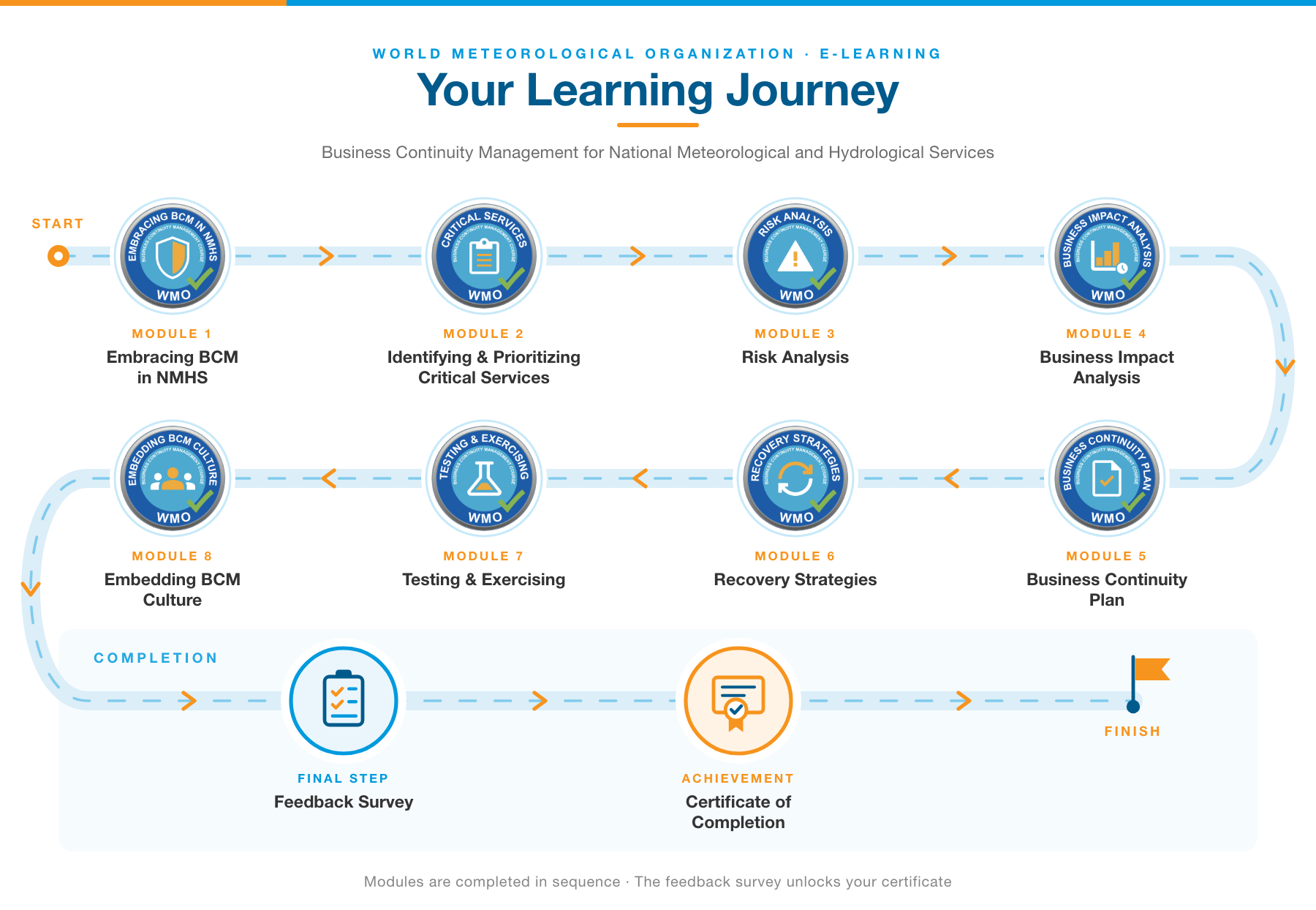
How to Complete This Course
Step 1: Choose any module and complete the lesson.
Step 2: Pass the module quiz (≥ 80%) to earn the module badge.
Step 3: You may complete modules in any order.
Step 4: After passing all 8 module quizzes, fill in the feedback survey.
Step 5: Download your Course Completion Certificate.
Estimated Duration: Approximately 5 hours total (about 30–45 minutes per module).
Note: Each module can be completed independently. If you are interested in specific topics, you may choose individual modules and receive a badge as evidence of completion. To receive the full course certificate, all 8 modules and the feedback survey must be completed.
How to Enroll in This Course
1-If you are not logged in, you will see “You are currently using guest access (Log in)” in the upper right corner.
IMPORTANT: If you would like to complete the course, you must log in and enrol in the course. Viewing the course as a Guest will not allow you to earn a badge or receive a certificate.
2-Click Log in.
If you already have an account:
3-Enter your login details, then skip to Enroll in the Course (step 8).
If you are new (no account):
4-Scroll down to “Is this your first time here?” and click Create new account.
5-Fill in all required fields, complete the reCAPTCHA, and click Create my new account.
6-Check your email for a confirmation message (look in spam/junk if you don’t see it).
7-Click the link in that email to verify your registration, then click Continue.
Enroll in the Course
8-Return to the course homepage. If needed, use this link: Business Continuity Management (BCM) for National Meteorological and Hydrological Services (NMHSs).
9-From the Actions menu (in the upper right), select Enroll me in this course.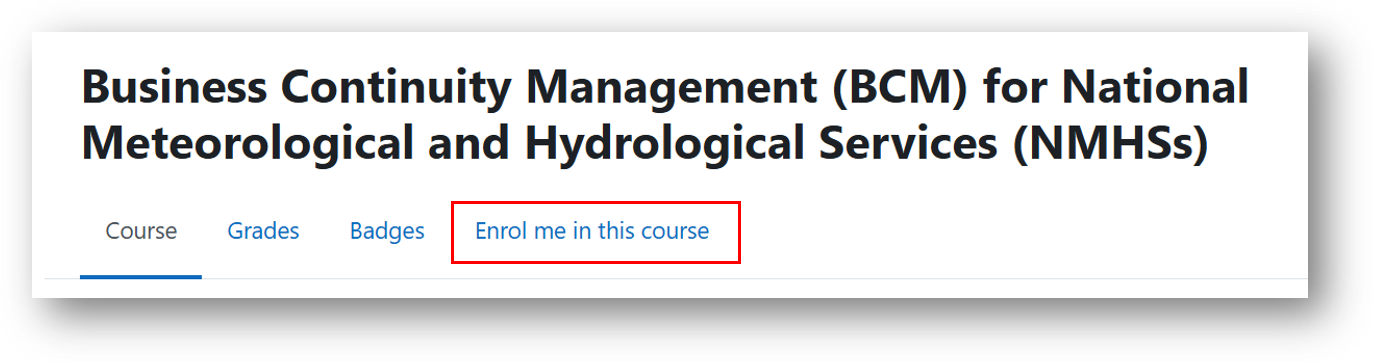
10-On the confirmation page, you will be asked for an enrollment key:
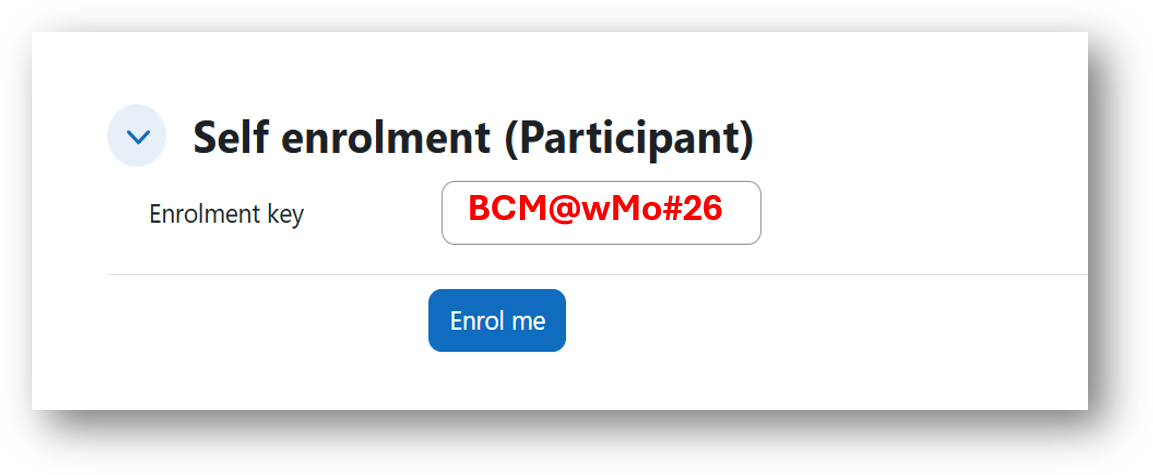
11-Type the key exactly as shown in the picture, then click Enroll me.
12-✅ You are now enrolled!